
 Gwisted
Community
Player Seeks Guidance for Stretched 4:3 Setup on AORUS Laptop
Gwisted /
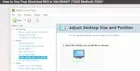
A Valorant player on r/VALORANT requested assistance configuring stretched 4:3 resolution on an AORUS MASTER 16 GEN 2 laptop, noting that standard NVIDIA Control Panel methods were unavailable.
At a glance
- User requested help setting up stretched 4:3 on an AORUS MASTER 16 GEN 2 laptop.
- Standard NVIDIA Control Panel display options were reportedly unavailable on the user's system.
- The user cited a lack of laptop-specific tutorials for this resolution setup.
- The post seeks community advice from others with similar hardware experiences.
A community member posted to r/VALORANT seeking technical assistance with configuring a stretched 4:3 resolution on their laptop. The user, who plays on an AORUS MASTER 16 GEN 2 equipped with an R9-9955HX3D processor and RTX 5080 graphics, stated that most online solutions they found were tailored for desktop PCs rather than laptops. Specifically, the user noted that common tutorials rely on the Display function within the NVIDIA Control Panel, a feature they reported was not accessible on their specific hardware configuration. The post highlights a potential gap in available resources for laptop users attempting to replicate competitive display settings. The user explicitly asked the community for alternative methods or experiences from others who have faced similar issues with laptop-based 4:3 stretching. This inquiry reflects the ongoing demand for optimized visual setups in competitive titles like Valorant, where resolution adjustments are often used to reduce the field of view and enhance target visibility. The post serves as a direct request for peer-to-peer troubleshooting within the gaming community, emphasizing the specific hardware constraints involved in achieving this display mode on mobile gaming devices.